

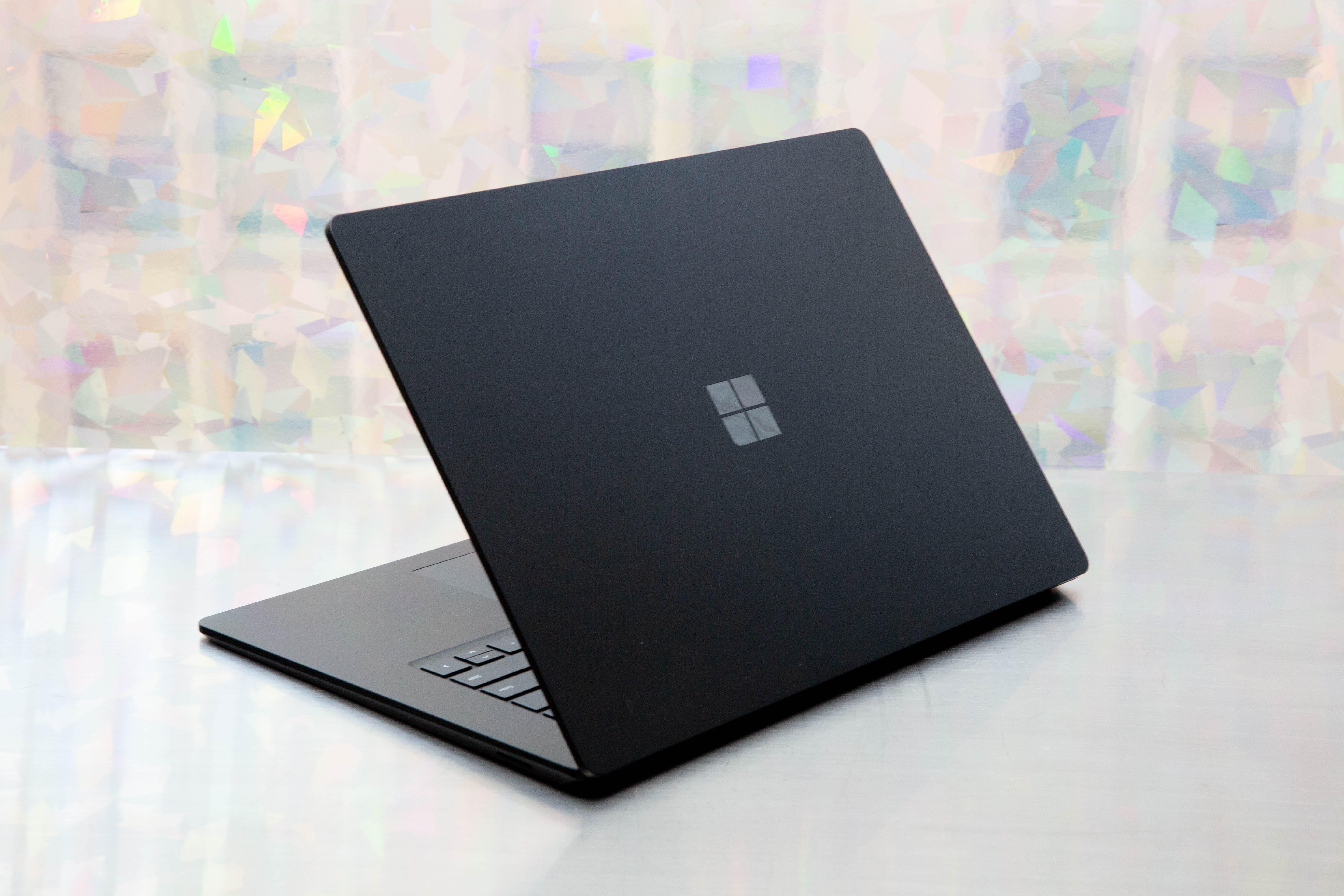
Microsoft will phase out Windows 10 support over the next few years, so it’s important to make sure your device supports Windows 11.
Sarah Tew/CNET
Windows 11 should work with most PCs, according to a company blog post about Microsoft’s first major operating system upgrade in six years. That means most people should be able to upgrade their PCs instead of buying an entirely new device, but we recommend you make sure the updated OS will work on your computer. Otherwise, you’ll probably need to replace your PC by 2025 as Microsoft phases out Windows 10 over the next several years.
Watch this:
Windows 11: Will your computer be able to run it? What…
3:43
Luckily, there are a few ways to check to see if your PC will work with Windows 11, which you’ll be able to download for free once it’s generally available later this year. Microsoft’s PC Health Check app, which helps you test whether your PC meets the system requirements for Windows 11, is back online, the company said in an August blog post. Microsoft had previously removed the app due to reports that it didn’t give people enough information about why their devices weren’t compatible. Now, the app will tell you if your computer meets the requirements to run Windows 11, and if it doesn’t, it will tell you why, and provide links for more support.
The PC Health Check app is now back online for those in the Windows Insider program, and will be available to everyone in the coming weeks, according to Microsoft.
If you aren’t in the Windows Insider program, you can still figure out if your device will run Windows 11 in a few other ways. Here are all of your options.
Read more: How to download Windows 11 for free
Option 1: Use Microsoft’s PC Health Check app to see if your computer can run Windows 11
If you’re in the Windows Insider program, you can follow these steps to test whether your PC meets the system requirements for Windows 11.
1. Download Microsoft’s PC Health Check here. Open the file, agree to the terms of service and click Install. Make sure the box is checked that says Open PC Health Check, and click Finish.
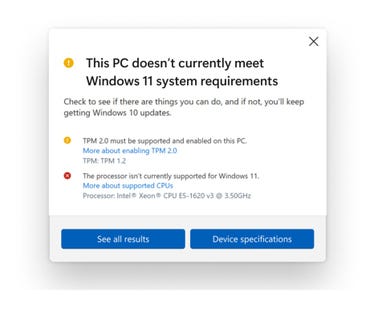
Here’s what you’ll see after running the updated Microsoft PC Health Check app, if your device is not compatible with Windows 11.
Microsoft
2. The app home page that pops up says, “PC health at a glance.” At the top, a box reads, “Introducing Windows 11.” Click Check now.
If your machine is not compatible, you’ll get a message that says, “This PC doesn’t currently meet Windows 11 system requirements,” with more information below.
If your machine is compatible, you can download the Windows 11 update for free when it becomes available around the 2021 holiday season. Or, if you’re part of the Windows Insider Program, you can download the Insider Preview build version now.
Option 2: Try the WhyNotWin11 app to check Windows 11 compatibility
A new, open-source app called WhyNotWin11 is an alternative to the PC Health Check app, particularly while Microsoft’s tool is only available to those in the Insiders program. The Github app, created by a developer not affiliated with Microsoft, has a less friendly interface, but it should give you more information and go into more detail about various potential compatibility issues. Here’s more information from TechRadar on how to use it to determine your own device compatibility with Windows 11.
Option 3: Check Microsoft’s list of system specifications for Windows 11
To determine if your current PC will be able to run Windows 11, you can check out this list of system specifications on Microsoft’s website, or in the chart below. If your machine is compatible, you can download the Windows 11 update for free when it becomes available around the 2021 holiday season. If you’re part of the Windows Insider Program, you can download the Insider Preview build version now.
What are the system requirements to run Windows 11?
Here’s the full list of system requirements for Windows 11, including at least 4 gigabytes of RAM, 64GB of storage and a 720p display larger than 9 inches diagonally.
Windows 11 Requirements
| Spec | Requirement |
|---|---|
| Processor | 1GHz or faster with 2 or more cores on a compatible 64-bit processor or system on a chip |
| RAM | 4GB |
| Storage | 64GB or larger storage device |
| System firmware | UEFI, Secure Boot capable |
| TPM | Trusted Platform Module (TPM) version 2.0 |
| Graphics card | Compatible with DirectX 12 or later with WDDM 2.0 driver |
| Display | HD (720p) display greater than 9 inches diagonally, 8 bits per color channel |
| Internet connection and Microsoft account | For Windows 11 Home edition: internet connectivity; Microsoft account to complete device setup on first use. For all Windows 11 editions: internet access to perform updates and to download and use some features; Microsoft account for some features |

Watch this:
7 ways to take screenshots in Windows 11
3:54

