
Skip to content
-
Subscribe to our newsletter & never miss our best posts. Subscribe Now!
  • https://www.facebook.com/
  • https://twitter.com/
  • https://t.me/
  • https://www.instagram.com/
  • https://youtube.com/
Excellentpix Excellentpix

Intelligence Redefined

Excellentpix Excellentpix

Intelligence Redefined

  • Green Energy
  • Tech News
  • Gadget
  • Smartphone
  • Laptop
  • PC
  • About Us
    • Advertise Here
    • Contact Us
    • Privacy Policy
    • Sitemap
  • Green Energy
  • Tech News
  • Gadget
  • Smartphone
  • Laptop
  • PC
  • About Us
    • Advertise Here
    • Contact Us
    • Privacy Policy
    • Sitemap
Subscribe
Close

Search

Windows Subsystem for Linux is now generally available
Laptop

Windows Subsystem for Linux is now generally available

By Maria H. Gray
December 5, 2022 2 Min Read
0

Windows Subsystem for Linux (WSL) is a compatibility layer for running native Linux binaries on Windows. It allows developers to run a GNU/Linux environment – including most command-line tools, utilities, and applications directly on the Windows operating system.


Over a year ago, WSL was brought into Microsoft Store as a preview state for Windows 11 users. And now, the company has made it generally available for both Windows 10 and Windows 11 users.
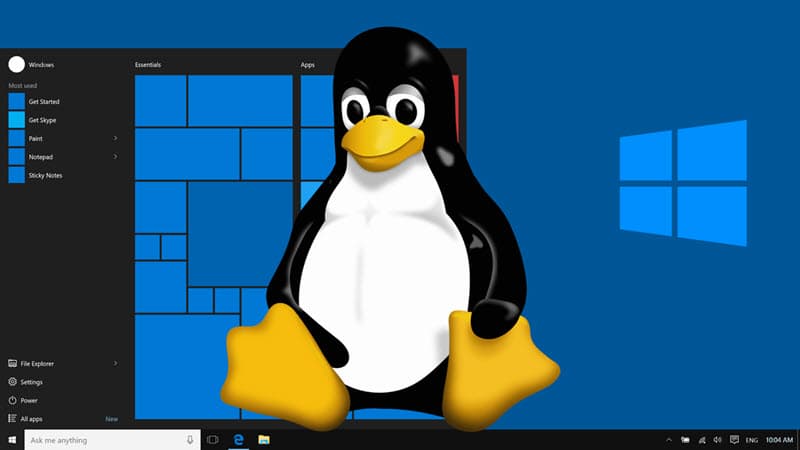
 

Windows Subsystem for Linux is now generally available in Microsoft Store
Windows Subsystem for Linux is now generally available


Back in 207, Microsoft added Windows Subsystem for Linux (WSL) to Windows 10. Later, it was made available to Windows 11 users too, through Microsoft Store, as a preview. And finally, it is now generally available to all Windows 10 and Windows 11 users. You can now grab it from the Microsoft Store by visiting this link. Then click the “Install” button to begin the installation process.


You can also install the Windows Subsystem for Linux from the Microsoft Store by running the command “wsl --install” from a command prompt. If you are an existing user, you can also upgrade to the store version by running the command wsl --update. We are also making the Store version of WSL the default for new users who run wsl --install and easily upgradeable by running wsl --update for existing users, says Microsoft in the announcement post.


What’s new in the Store version of WSL?

  • Windows 10 users can now use Linux GUI apps! This was previously only available to Windows 11 users.
  • wsl --install now includes:
    • Direct installation from the Microsoft Store by default
    • --no-launch option to not launch the distro after installing
    • --web-download option which will download the distro through our GitHub releases page rather than through the Microsoft Store
  • wsl --mount now includes:
    • --vhd option to make mounting VHD files easier
    • --name option to make naming the mountpoint easier
  • wsl --import and wsl --export now include:
    • --vhd option to import or export to a VHD directly
  • Added wsl --import-in-place to take an existing .vhdx file and register it as a distro
  • Added wsl --version to print your version information more easily
  • wsl --update now includes:
    • Opening the Microsoft Store page by default
    • --web-download option to allow updates from our GitHub release page
  • Better error printing
  • All of WSLg and the WSL kernel are packaged into the same WSL package, meaning no more extra MSI installs!

 

Tags:

Windows
Author

Maria H. Gray

Follow Me
Other Articles
Iceotope study says liquid immersion works for hard drives • The Register
Previous

Iceotope study says liquid immersion works for hard drives • The Register

How to Set Up and Use Hydra Bot on Discord
Next

How to Set Up and Use Hydra Bot on Discord

No Comment! Be the first one.

Leave a Reply Cancel reply

You must be logged in to post a comment.

October 2026
M T W T F S S
 1234
567891011
12131415161718
19202122232425
262728293031  
« Sep    

Archives

Categories

  • Car
  • Entertainment
  • Gadget
  • Games
  • general
  • Green Energy
  • internet marketing
  • IT Solutions
  • Laptop
  • Lifestyle
  • PC
  • Property
  • Real estate
  • SEO
  • Smartphone
  • Software Company
  • Start Up
  • Tech News
  • Technology
  • uncategorized

Recent Posts

  • Nemanex en gouttes : comment lire un avis avant d’essayer un complément alimentaire
  • Casino en ligne — Étapes d’un dépôt et d’un retrait: Spinboss
  • Nettikasino — Flamez: Talletus- ja nostojen vaiheet: Pelit ja talletukset: käytännöllinen katsaus olennaisiin tietoihin
  • HIPAA EDI Transactions Explained: 834, 835, 837, 270/271, 276/277, 278 and 820
  • AI-Powered Phishing Is Getting Better: How Staff Training Needs to Change in 2026

fiver

Fiverr Logo

Tags

Amazon Android announces app Apple Big Black Buy Car coming deals Electric Galaxy game games gaming Google Heres Hunter iPhone laptop Laptops launch Market Microsoft news phone Pro Release Review sale Sales Samsung Series Smartphone software startup startups Stock tech Tesla top Windows Xbox year

PHP 2026

fashionsfusionista
anamarialeiner

BL

excellentpix.com

WhatsApp us